Dedup: Fast & Secure
Duplicate Finder for macOS
Reclaim disk space by quickly detecting content-identical duplicate files, all safely and completely locally.
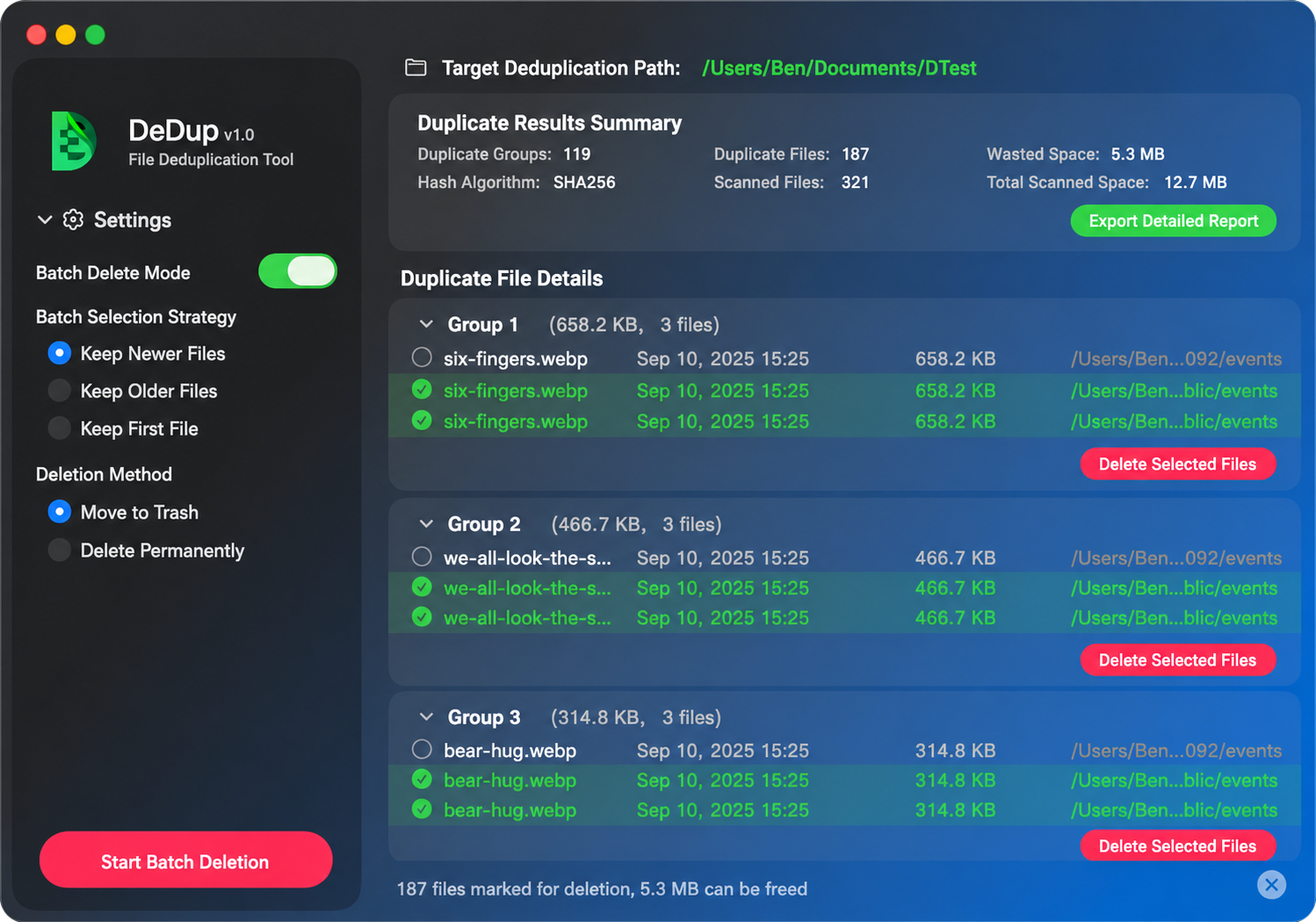
Reclaim disk space by quickly detecting content-identical duplicate files, all safely and completely locally.
Efficient, secure local duplicate file management.

Progressive local hashing.

Browse scan targets visually.

Multiple retention strategies.

Comprehensive scan summaries.

Drag & drop a folder or select a directory from the welcome page.

Adjust settings for algorithm, minimum file size, and exclusion rules.

Click 'Start Scan' to begin progressive hashing and view real-time progress.

Automatically view all identified duplicate file groups.
Choose individual files or apply a batch strategy to execute deletion.

Optionally export scan summaries into detailed reports.